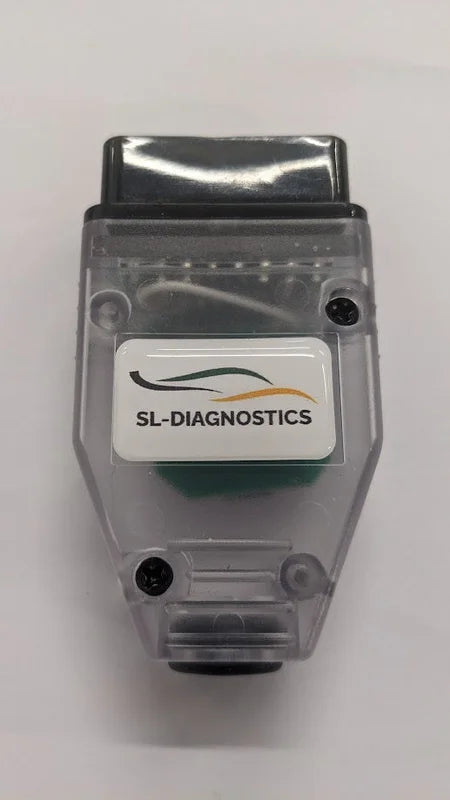
SL Diagnostic Device For Elise/Exige/Evora
- Secure checkout
- Shipping details
- Return policy
Product details
Description The SL Diagnostic Device is a cost effective tool to allow fault code read and clear for the majority of Elise, Exige and Evora from 2006-2022 and covers Engine (EOBD and spanner fault codes), ABS, Automatic transmission, Airbag and TPMS (more are being added as we continue to test). Simply plug into the car’s OBD connector, connect via Wi-fi to your smart phone, then connect to your car’s ECUs. The device is updateable via encrypted downloads over 4/5G as the product develops to include more ECUs. Coverage Fault code read and clear of the following vehicle systems Engine ECU – 4 cylinder cars 2006 to 2011.
Engine ECU – 4 and 6 cylinder cars from 2012 to 2022 (Inc spanner light) Engine ECU – 4 and 6 cylinder cars from 2012 to 2022 ECU Reset adaptions/ clear History. ABS Bosch – Evora, Elise and Exige 2012 to 2022 ABS Kelsey – Hayes – S2 Elise and Exige Automatic gearbox TCU – all V6 engine cars Airbag – Elise and Exige from 2006 to 2017.5 Airbag – Elise and Exige 2017.5 to 2022 Airbag – Evora 2011 to 2022 TPMS – late LDL system TPMS – Early Schrader system Device Updates As update become available we will add the link and Version number here. The device is currently using version 7.5 In development Airbag – Evora 2009 to 2011.
Engine ECU T4 -Elise and Exige 2004-2005 (Toyota) with throttle cable SL Diagnostic Device Instructions Power up the device (Plug in to ODB port on car) Search on Mobile telephone WI-FI for the device (Lotus Diagnostics) Connect wi-fi to device Enter password (‘password’ is the password) Go to web browser and type 10.1.1.1, then search, some telephones may ask you to confirm you have no internet access, click confirm/yes etc. Add link to your home screen Each time you use the device you will need to connect to it via Wi-Fi, then click the home screen icon you created earlier.
Sometimes you may need to be patient when connecting or press the reload screen button to connect You can also connect a USB-C to Lightning cable and use it as a wired device on an iphone.